
How to choose a photo cleaner app for iPhone in 2026
· by Davyd Hruts
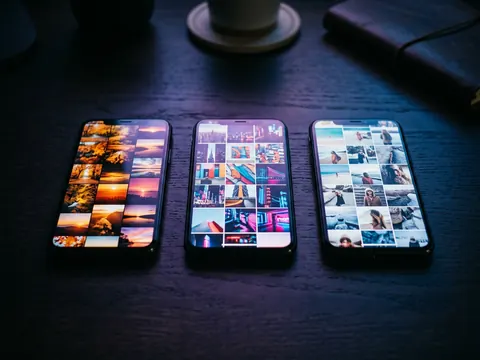
Decide first what kind of clutter you have. For thousands of photos to review, a swipe app is fastest. For big duplicate clusters and large videos, a scanner with groups works better. Then check four things: that photos never leave the phone, that nothing is deleted without your confirmation, that compression keeps resolution and dates, and how the free tier is limited.
Two kinds of photo cleaner
Swipe apps show one photo at a time and let you decide quickly: Slidebox, Swipewipe and Sweepr work this way. Scanner apps sort the library into groups, duplicates, similar shots, large videos, screenshots, and let you clear a group at once: Cleanup and Clever Cleaner work this way. Several now mix both.
What to check before you install
- Privacy: does the app upload photos to a server, or work on the device? The App Store's privacy label and the policy say.
- Deletion: is there an undo or a trash, and does iOS ask before anything is deleted? On iPhone every deletion goes to Recently Deleted for 30 days anyway.
- AI decisions: does the app pick what to delete for you, or only suggest?
- Compression: does it keep resolution, date, location and albums, or save a new file dated today?
- Price: a weekly subscription can cost more in a year than a one-time purchase. Check the free tier's limit: per day, per week or once.
The main apps, side by side
| App | How it works | Notable | Minimum iOS |
|---|---|---|---|
| Slidebox | Swipe, one photo at a time | Sort into albums as you go, compare similar photos | 15 |
| Swipewipe | Swipe, month by month | On This Day, photo map, widget with streaks, AI photo enhancement | 18 |
| Cleanup | Scanner with groups | Duplicates, contacts, email clean-up, video compression | 15 |
| Clever Cleaner | Scanner with groups | Free daily limits, no ads, Live Photo to still, best shot marked | 16 |
| Sweepr | Swipe deck plus smart decks | Compression at full resolution with dates and albums kept, trash with one iOS confirmation, failed shots, Places, Files, Contacts | 17 |
Which to choose
- A huge library you have never looked at: a swipe app, a month at a time.
- One big burst problem or many duplicates: a scanner, or the Photos app's own Duplicates album.
- A phone full of photos and videos you do not want to delete: an app that compresses without lowering resolution.
- Privacy matters most: check that the app works offline. Turn on airplane mode and try it.
Questions
Are photo cleaner apps safe?
The ones that work on the device are as safe as the Photos app: iOS asks before any app deletes, and deleted items stay in Recently Deleted for 30 days. Check the privacy label for data collection.
Do I need a photo cleaner app at all?
Not for a small library: Photos has Duplicates and a Screenshots media type. A cleaner pays off with thousands of photos, heavy videos to compress, or when you keep putting the job off.