
Everything Sweepr does
· by Davyd Hruts
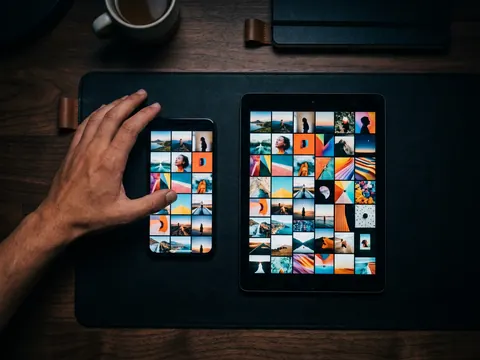
Sweepr is an iPhone and iPad app for cleaning up the photo library one swipe at a time: left deletes, right keeps, down files the photo into an album. It also finds duplicate and similar photos and videos, compresses photos and videos without lowering their resolution, trims video, cleans up duplicate and empty contacts, and, with Pro, sweeps folders in the Files app, including iCloud Drive, external drives and camera memory cards. Everything runs on the device and nothing from the library is uploaded.
The swipe deck
Every part of Sweepr is the same deck: one photo or video at a time, full screen, and one gesture per decision. Nothing is deleted on its own and nothing is deleted at once. Left swipes wait in Sweepr's trash at the top of the deck, and when you leave, iOS asks once to delete them all, which is what frees the space.
- Swipe left to delete, right to keep, up to add to Favourites.
- Swipe down to put the photo into one of your last three albums: lean left, middle or right.
- Undo takes back the last decision; the trash restores one photo or all of them.
- Video plays on the card, with a scrubber, so you can judge a clip without leaving the deck.
- Sweepr remembers what you have reviewed and picks up where you stopped.
Everything you can sweep
The home screen shows how much of the phone your photos and videos take, then every way into the library:
- Photos, Videos and Screenshots by year, month and day, plus Swipe the Latest.
- Screen recordings, selfies and Live Photos, each in a deck of its own.
- On This Day: the photos taken on today's date in earlier years.
- Albums: any album, with the ones you have finished marked as done.
- Places: the library grouped by city and country, on a map on iOS 26 and as a list before.
- Failed Shots: blurred, dark and pocket photos, found by Apple's on-device image analysis.
- Documents & Receipts, From Messengers (pictures saved from WhatsApp, Telegram, Viber and other chats) and Short Videos under three seconds.
- Free Up Space: Large Videos, Large Photos, duplicates and Live Photos, heaviest first.
Duplicates and similar photos and videos
Duplicates & Similar compares the files themselves on the phone. Identical copies are grouped together; near-identical shots, a burst or the same scene taken seconds apart, are grouped as Similar. Videos are matched too: an exact copy of a clip, or the same clip saved again at another size or quality. Each group shows how much space it would free, Keep the best ticks the strongest frame by sharpness and faces, and you decide what goes. It is free.
Compression, trimming and Live Photos
For files worth keeping but too heavy, Sweepr makes them lighter instead of deleting them. The lighter copy keeps the date, the location and the albums of the original, and the original waits in the trash until you confirm.
- Photos: HEIC or JPEG at three quality levels, always at full resolution. Only photos above the size you set, 20 MB by default, are offered.
- Video: keep the clip's own size and make it lighter, or step down from 4K to 1080p or 720p, with quality Same as original, Balanced or Compact, and the frame rate kept or set to 30 or 24.
- Trim: cut a long clip down to the part you want. Trim and compress in the same step.
- Live Photos: keep only the picture, exactly as it is; the motion and sound go.
- Sweepr refuses when a file would not get meaningfully smaller and says it is already small enough.
Contacts
The same idea, applied to the address book. Duplicates are found by a shared phone number or messenger handle, never by a name alone, so two cards for the same person saved under different names are caught. Merge into One keeps every number, email and the photo in one card you check first. Empty cards with no number or email get a list of their own, and Sort All Contacts is a swipe deck through the whole book. Deleted and merged cards wait 30 days in the Contacts Trash, where you can bring them back. Contacts never leave the phone.
Files: iCloud Drive, drives and camera cards (Pro)
Files brings the swipe to any folder the Files app can open: On My iPhone, Downloads, iCloud Drive, a hard drive or USB stick, or a camera's memory card through an adapter, on iPhone and iPad. Sweepr reads the folder and its subfolders, up to 5,000 files at a time, sorts them largest first (or newest, oldest, by name), and filters by photos, videos, documents, audio and archives. Swipe a picture or a clip down to save it to Photos. Deleted files go to Recently Deleted in the Files app; a drive or a card has none, so Sweepr asks before removing those for good. Photographers have a guide of their own: sorting a memory card on iPhone.
iPad and iPhone Duo
On iPad the deck is sized to the screen and turns to all four orientations. On iPhone Duo the layout follows the window: half folded like a book, the deck sits on one page and Totals on the other; fully open, Sweepr uses the whole screen.
Siri, Shortcuts, widget and Control Center
- Siri: "Start sweeping in Sweepr", "Find duplicates in Sweepr", "Show large videos in Sweepr", "Compress photos in Sweepr", and "How much has Sweepr freed", which answers out loud.
- The same actions are in the Shortcuts app, for automations of your own.
- A home screen widget: what can be freed, what is new since your last sweep, days in a row, and the total freed.
- Control Center: a Start Sweeping button on iOS 18 and later.
Totals, trophies and reminders
Totals counts the space freed, photos kept and deleted, how much of the library you have been through, and what compression and trimming saved. Trophies mark photos sorted in one sitting, over a lifetime, gigabytes freed and days in a row, in bronze, silver, gold and crystal tiers, and each one can be shared as a card. Reminders are a few evening notifications after a sweep with your own figures, and on the first of the month a short recap if enough new photos arrived. Both turn off in Settings.
Free and Pro
| Feature | Free | Pro |
|---|---|---|
| Swipes | A limited number that refills over time | Unlimited |
| Photo and video compression | Yes | Yes |
| Duplicates & Similar | Yes | Yes |
| Video trimming | Three to try | Unlimited |
| Contacts clean-up | Yes | Yes |
| Files: iCloud Drive, drives, memory cards | No | Yes |
| Totals | Space freed and the basics | Day streak, activity map, charts |
| Photos loaded ahead from iCloud | 5 | 10 |
Pro comes as a subscription or a one-time purchase. The App Store shows the price in your own currency before you buy.
Privacy
Sweepr has no account and no server of its own. Photos, videos, contacts and files are never uploaded; reviewing, deleting, compressing, trimming and merging all work offline. The network is used only to buy Pro, to name the city in Places through Apple's map service, to download a photo that lives only in iCloud, and to send feedback when you write it.
Questions
Is Sweepr an AI photo cleaner?
No AI decides anything. Failed Shots and Documents & Receipts use Apple's on-device image analysis to suggest candidates, and Duplicates & Similar groups look-alikes, but every photo waits for your swipe.
Does Sweepr work on iPad?
Yes. iPhone and iPad with iOS 17 or later, with a layout of its own on iPad in every orientation, and a book layout on iPhone Duo.
Can Sweepr clean files that are not photos?
Yes, with Pro. Files sweeps any folder from the Files app, documents, audio and archives included, on the device, in iCloud Drive, on an external drive or on a camera card.