
Culling a camera memory card on iPhone and iPad: a photographer's workflow
· by Davyd Hruts
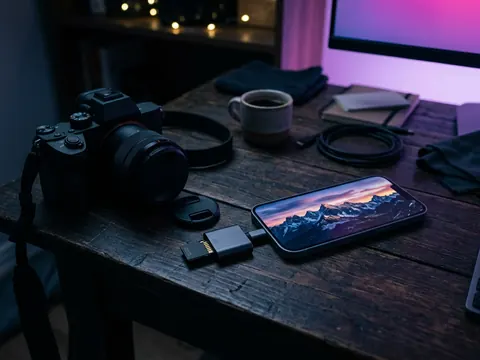
Connect the card through an SD card reader, open the card's DCIM folder in Sweepr's Files mode, and swipe through the shoot: left for rejects, right for keepers, down to save a frame straight into Photos. Only the keepers reach your library, and the card is ready for the next shoot. The same works for an external drive or iCloud Drive.
Why cull before importing
The Photos app imports a whole card at once, rejects included, and a day's shoot is often several hundred frames, half of them near-identical. Culling first means the library only ever holds the frames you want, iCloud does not spend space and bandwidth on the rest, and the card is cleared with intent rather than by formatting it in the camera and hoping.
What you need
- An SD or microSD card reader for your port: USB-C on iPhone 15 and later and on recent iPads, Lightning on older iPhones.
- For speed, a reader and cable that support USB 3: on iPhone Pro models with USB-C, copying a large card is several times faster than over USB 2.
- A card formatted as exFAT or FAT32, which is how cameras format them. The Files app reads both.
- Sweepr with Pro, for its Files mode.
The workflow
- Plug in the reader with the card. The card appears in the Files app under Locations.
- In Sweepr, open Files and choose the card's DCIM folder, or the folder of one shoot.
- Use the Photos filter to see pictures only, and sort by Newest or Oldest to go through the shoot in order, or by Largest to deal with long video clips first.
- Swipe left on the rejects and right on the keepers. Swipe a keeper down to save it straight into Photos.
- When you finish, confirm the deletion. The card has no Recently Deleted, so Sweepr asks once before removing those files for good.
RAW, JPEG and video
- Many cameras write RAW and JPEG pairs. They are separate files, so deleting the JPEG leaves the RAW on the card. Use the filters to see each type, and decide on the pair together.
- Sweepr shows each file the way iOS can preview it. Keep a reject pile on your computer if your camera writes a RAW format your iOS version does not preview.
- Video from the camera is often the heaviest thing on the card. Largest first puts the long clips at the top of the deck.
The same for an external drive or iCloud Drive
A portable drive full of old exports, or an iCloud Drive folder that grew for years, works the same way: open the folder in Files mode, sort by Largest, and swipe. Files on iCloud Drive go to Recently Deleted in the Files app and stay there for 30 days; files on an external drive are removed once you confirm.
Good habits
- Do not cull the only copy of a paid shoot on a phone. Back it up first, then cull the card.
- Cull in two passes: obvious rejects first, then the close calls side by side in Photos.
- Keep the camera's own folder structure; Sweepr reads subfolders, so a whole card can be one deck.
Questions
Can an iPhone read an SD card?
Yes. With an SD card reader for its port, the card appears in the Files app as a location, and Photos offers to import from it.
Can I delete photos from the SD card on an iPhone?
Yes, in the Files app or in Sweepr's Files mode. There is no Recently Deleted on a card, so deleted files are gone once you confirm.
Does Sweepr import RAW files into Photos?
Swiping a file down saves it to Photos as it is. Photos accepts the RAW formats that iOS supports; check a test file from your camera first.